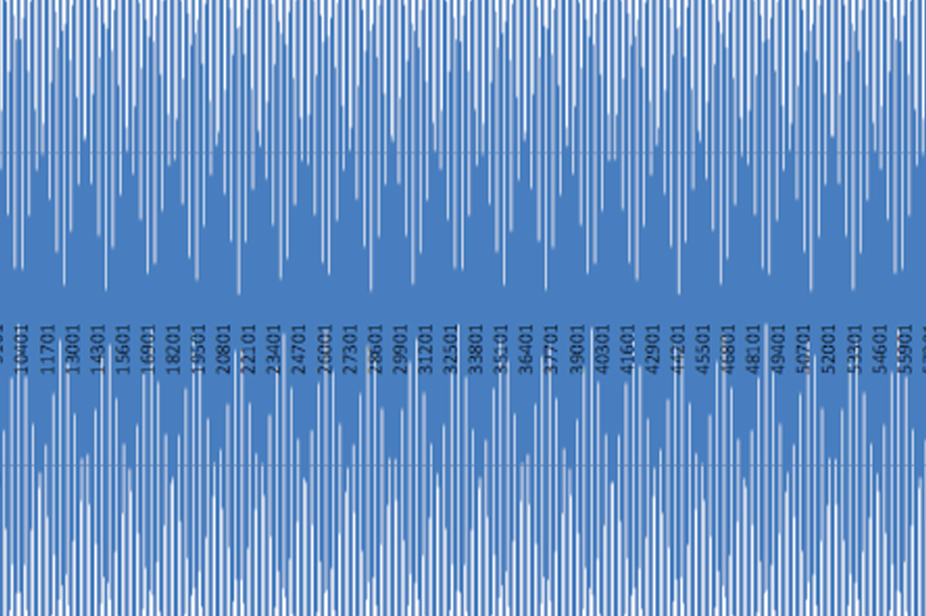
These visualizations are a window into the aircraft's behavior – however, it's crucial to understand that what we see isn't always a perfect representation of the original sensor data.
In signal processing, sampling is the reduction of a continuous signal to a discrete signal. The sampling process itself can introduce visual effects that, if not understood, can mislead our analysis. The following explores some of these effects, as well as other visualization phenomena.
Amplitude Visual Effect
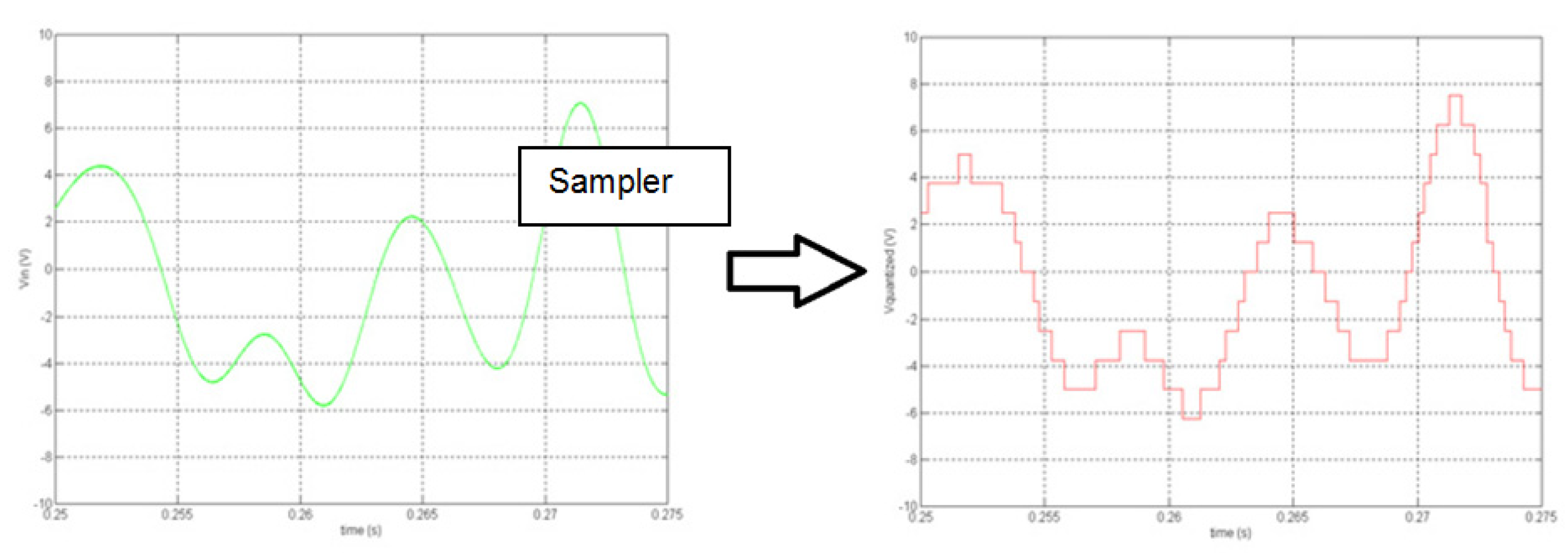
Imagine a perfect sine wave. When we sample it, we only capture its amplitude at specific, discrete points in time. When you sample a continuous sine wave at a rate slightly higher than the Nyquist frequency (e.g., 2.1x), the sample points "walk" along the waveform, shown in Figure 2.
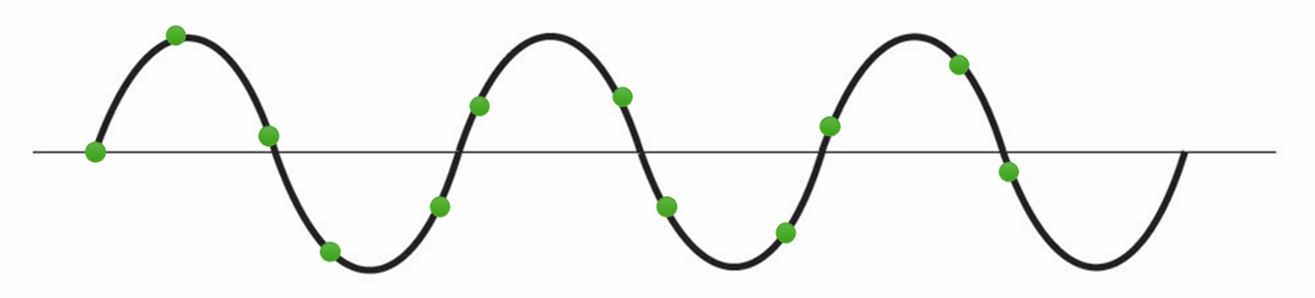
This creates a visual "beat frequency" or amplitude modulation envelope that does not exist in the physical vibration (e.g., Figure 3). Running an FFT on the resulting signal provides the correct amplitude with no attenuation seen.
Square Wave Visual Effect
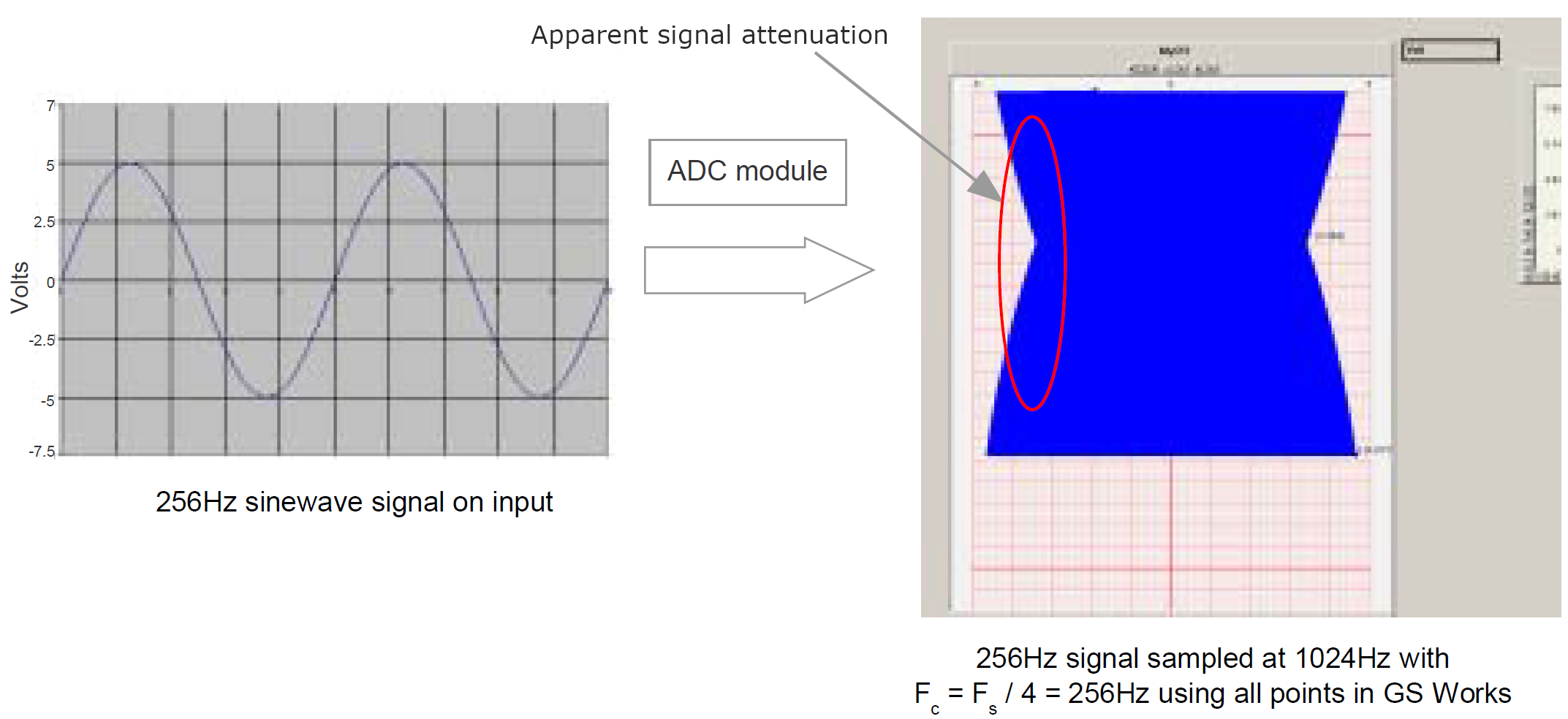
A perfect square wave has instantaneous (infinitely fast) transitions between its high and low states. When it’s sampled and then reconstructed, it often appears with sloped edges rather than sharp, vertical transitions. The faster the sampling rate relative to the square wave's period, the sharper the reconstructed edges will appear, but they will rarely be perfectly vertical.
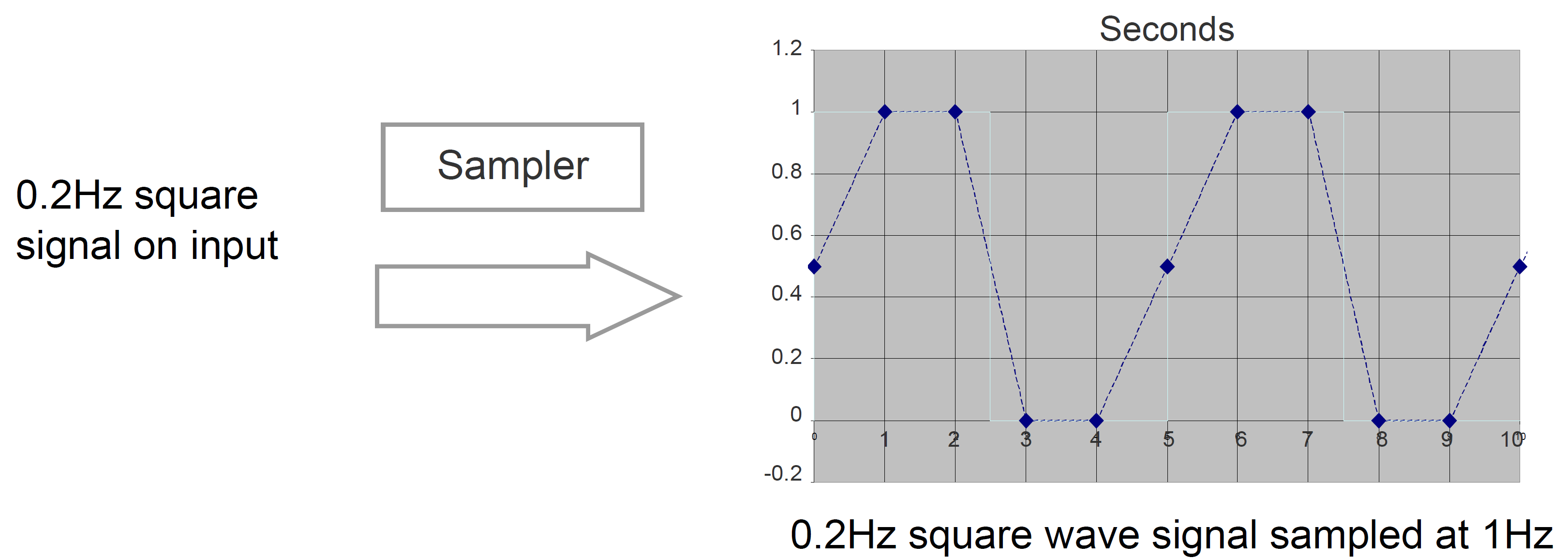
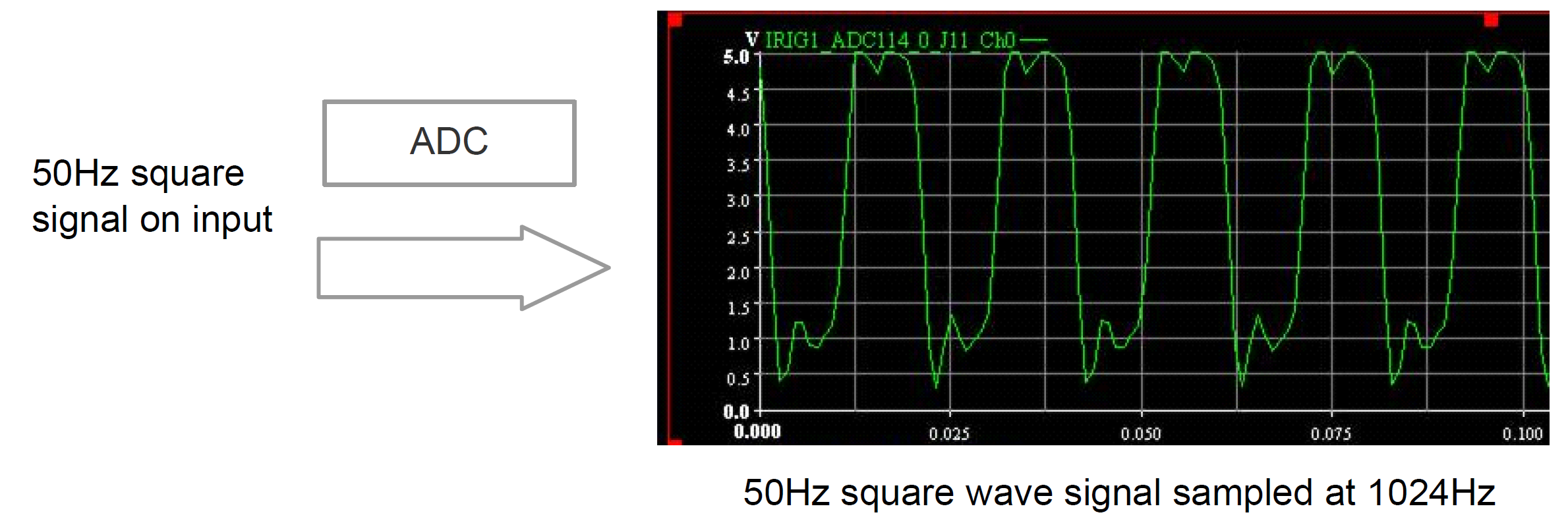
An ADC module should filter out harmonic frequencies above Fc to remove unwanted (and in theory infinite) harmonics. This will result in the reconstructed signal showing some overshoot / undershoot ringing effect.
If accurately meaning period/frequency/pulse width was the goal of sampling a square wave, a discrete input type module is a better choice. Otherwise, sampling the ADC module as fast as possible using the highest Fc will attenuate the ringing effect.
Screen Effect
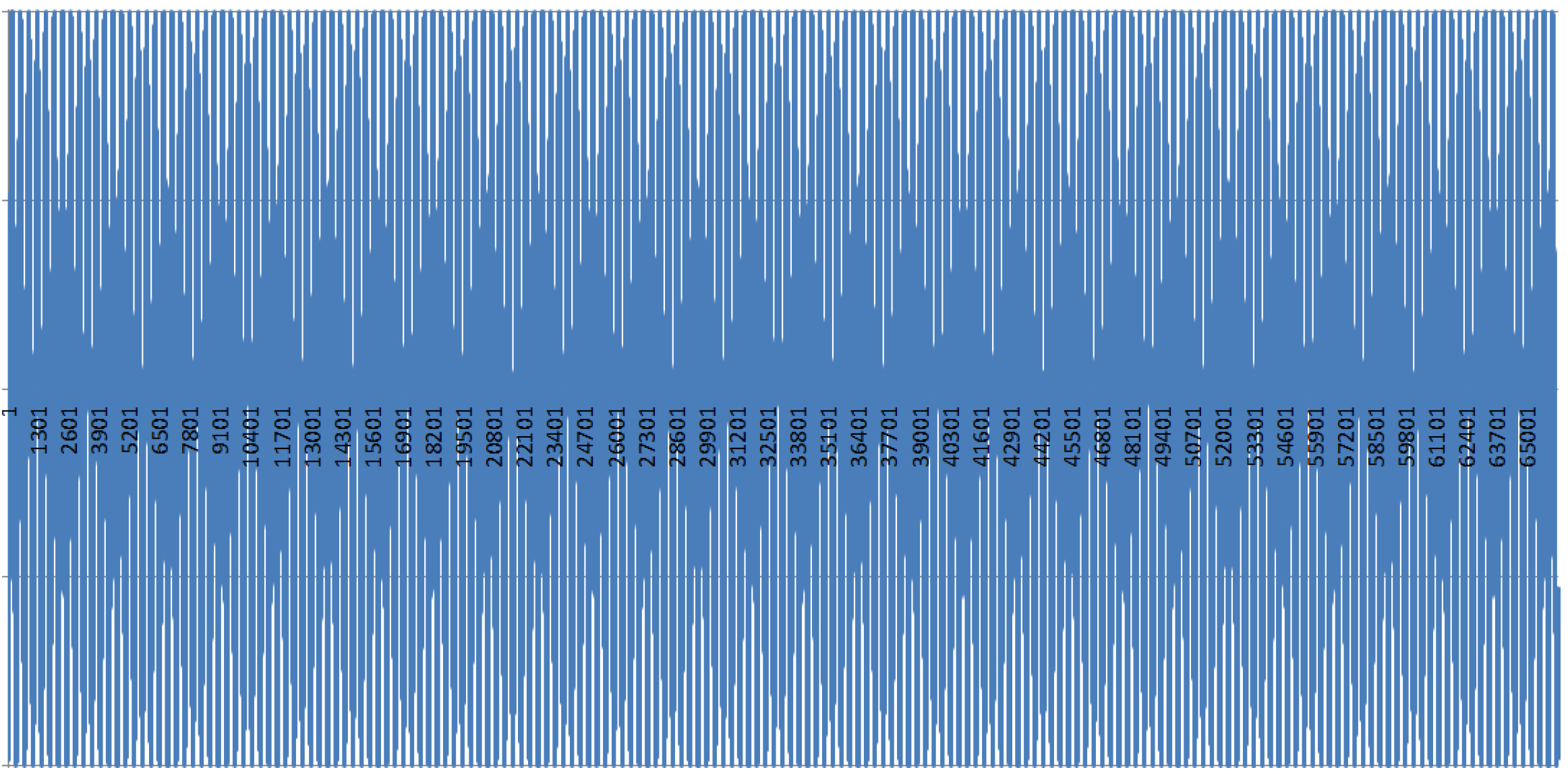
Suppose you have a very high number of digital samples for a given time period, but your screen has a limited number of pixels horizontally. In that case, the software must sub-sample or average the data points to fit them on the screen. This means that some details from your high-resolution data may be visually lost or smoothed out on the plot (also known as the Moiré effect). Zooming in or exporting data for detailed analysis can reveal what the screen effect might obscure.
Signal Reconstruction
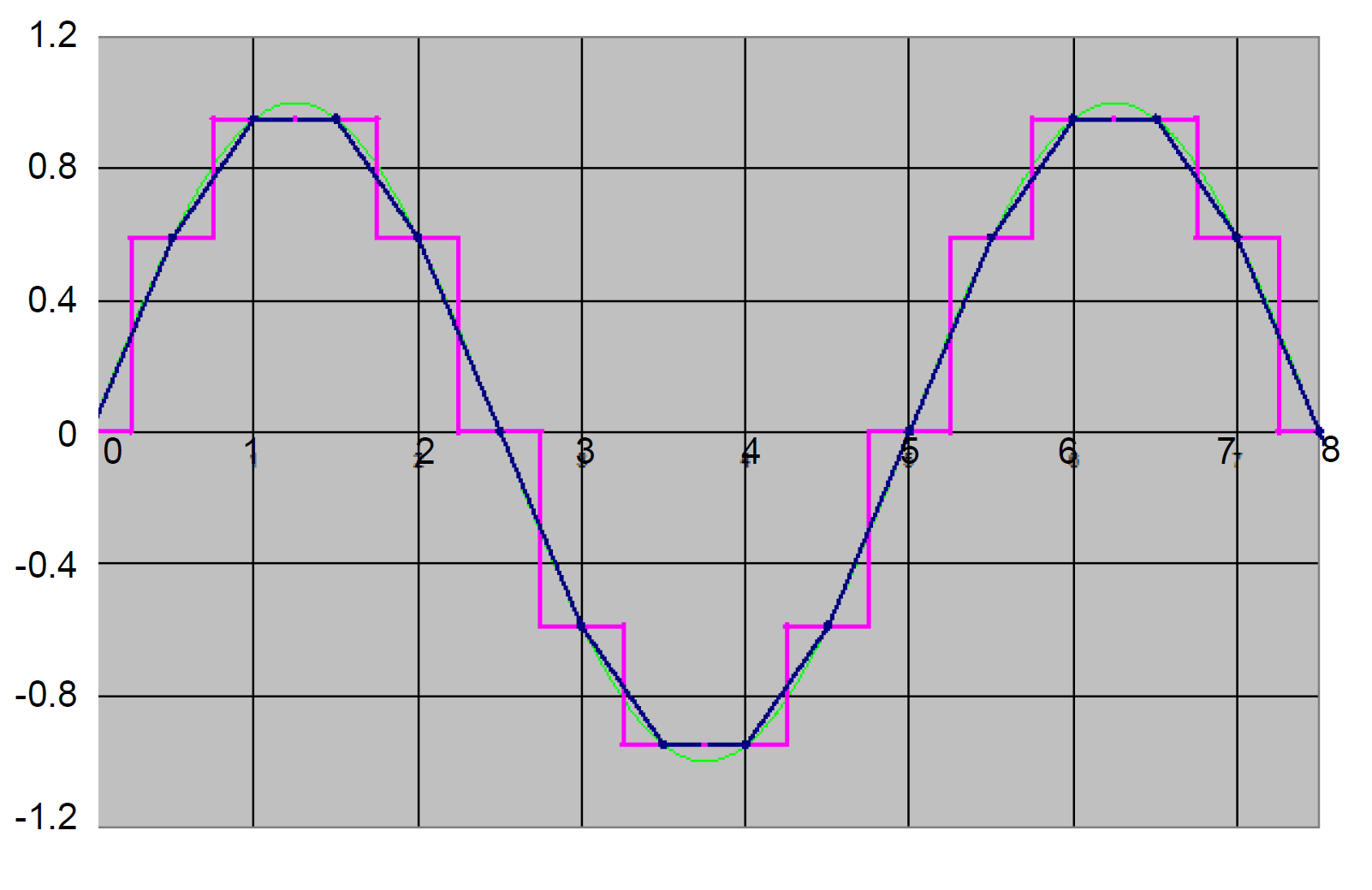
After sampling, the individual digital points need to be "connected" to create the continuous-looking waveform we see. The way your software reconstructs the signal (e.g., using straight lines between samples, or more complex interpolation like cubic splines) directly impacts the visual smoothness and apparent accuracy of the waveform.
The simplest method, zero-order hold (holding the value until the following sample), creates a staircase effect. Linear interpolation (connecting dots with straight lines) is common and smoother. These are simple methods that require minimal post-processing and work well with both periodic and non-periodic signals. The disadvantage is that they need a much higher sample rate than the maximum frequency of interest to visualize the original signal.
Summary
Understanding these visualization effects is crucial for any FTI engineer. The digital display is a powerful tool, but it's an interpretation of the underlying data, not always a perfect mirror of the original analog signal. Always consider the impact of your sampling rate, the nature of the signal, and your plotting software's capabilities to avoid misinterpreting critical flight test data. You can read more in-depth information in this technical note.

Subscribe Today!
Subscribe to our blog and receive a monthly email that keeps you up-to-date with the latest news and insights from Curtiss-Wright.

Stephen Willis
Product Marketing Manager
Stephen Willis is the aerospace test and measurement Product Marketing Manager at Curtiss-Wright Defense Solutions. He has a degree in Electrical Engineering, a Masters in Philosophy for research in mathematical models and their market application for risk assessment, and a PG Dip in marketing and management. His current research interests include data acquisition, recording, and control systems and their applications in enabling a cost-effective route to gather large amounts of data. In particular, applications of interest include flight test, crash-protected recording, and structural/usage monitoring programs. He is the author of several academic papers and magazine articles.